Overview
You can remove leads from an active sequence in two ways depending on whether the lead has replied or not.
Lead Has Replied - Automated Method
Automatically stop sequences when a lead replies.
How to Set It Up:
While scheduling your sequence:
- Enable the checkbox: Stop sequence for lead when they reply.
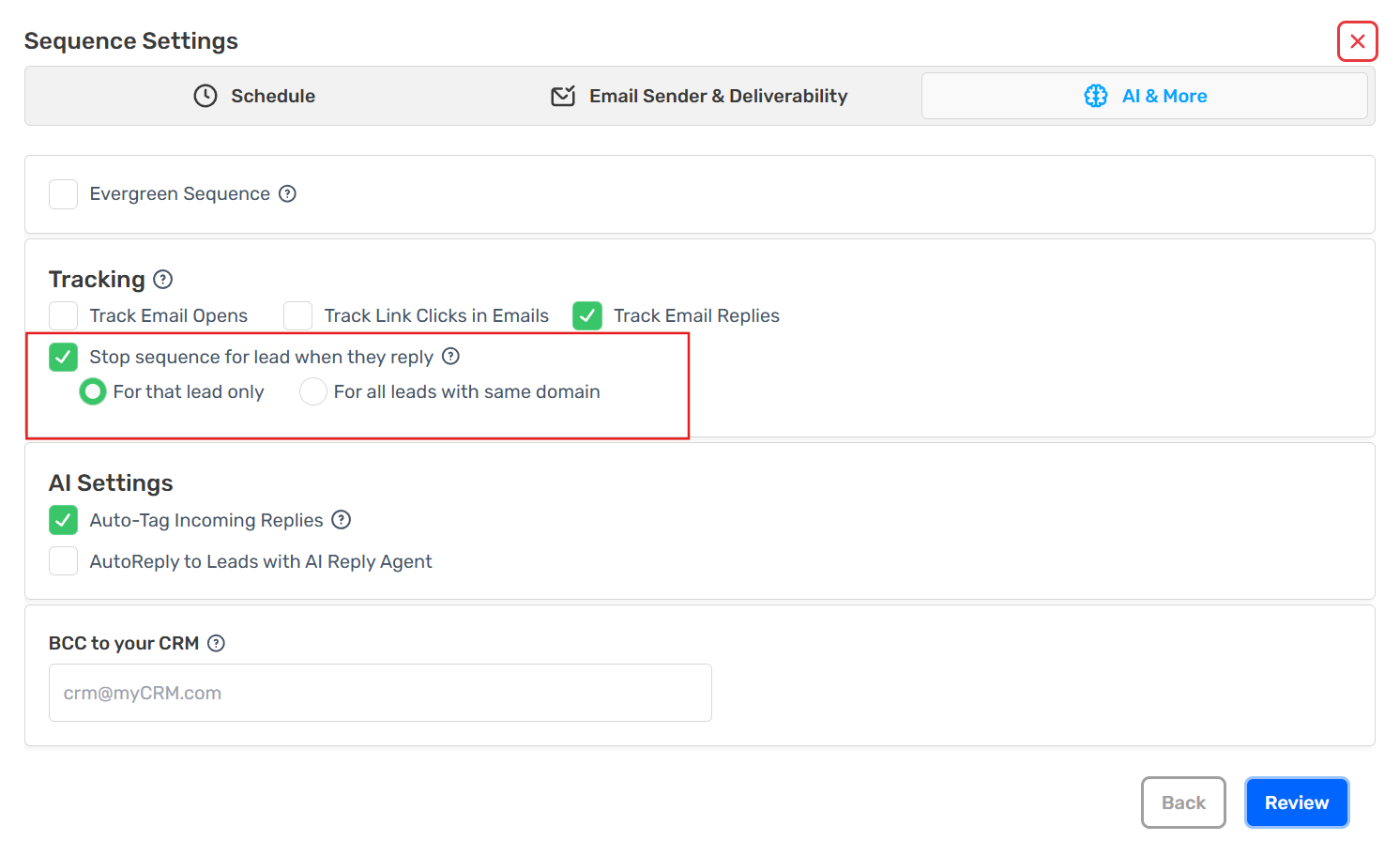
- Choose one of the following options:
For that lead only - Stop the sequence for that specific lead. No follow-up emails will be sent to them.
For all leads with the same domain - Stops the sequence for all leads with the same domain (e.g., @company.com). No follow-ups will be sent to anyone from that domain.
Lead Has Not Replied - Manual Method
Option 1: Add to Unsubscribe / Block List
- Add the lead to your Unsubscribe/Block list.
- They will no longer receive emails.
Option 2: Archive the Lead
- Archive the lead.
- This removes them from the active sequence.
Both methods ensure no further emails are sent and your outreach remains clean and controlled.