Overview
Track performance, monitor activity, and optimize your outreach campaigns using SalesBlink reports.
Prerequisites
- Active sequences with sent emails
- (Optional) Team access for shared reports
Access Sequence Stats
- Click Outreach → Sequences.
- Click the View Stats icon next to your sequence.

Sequence Stats Overview
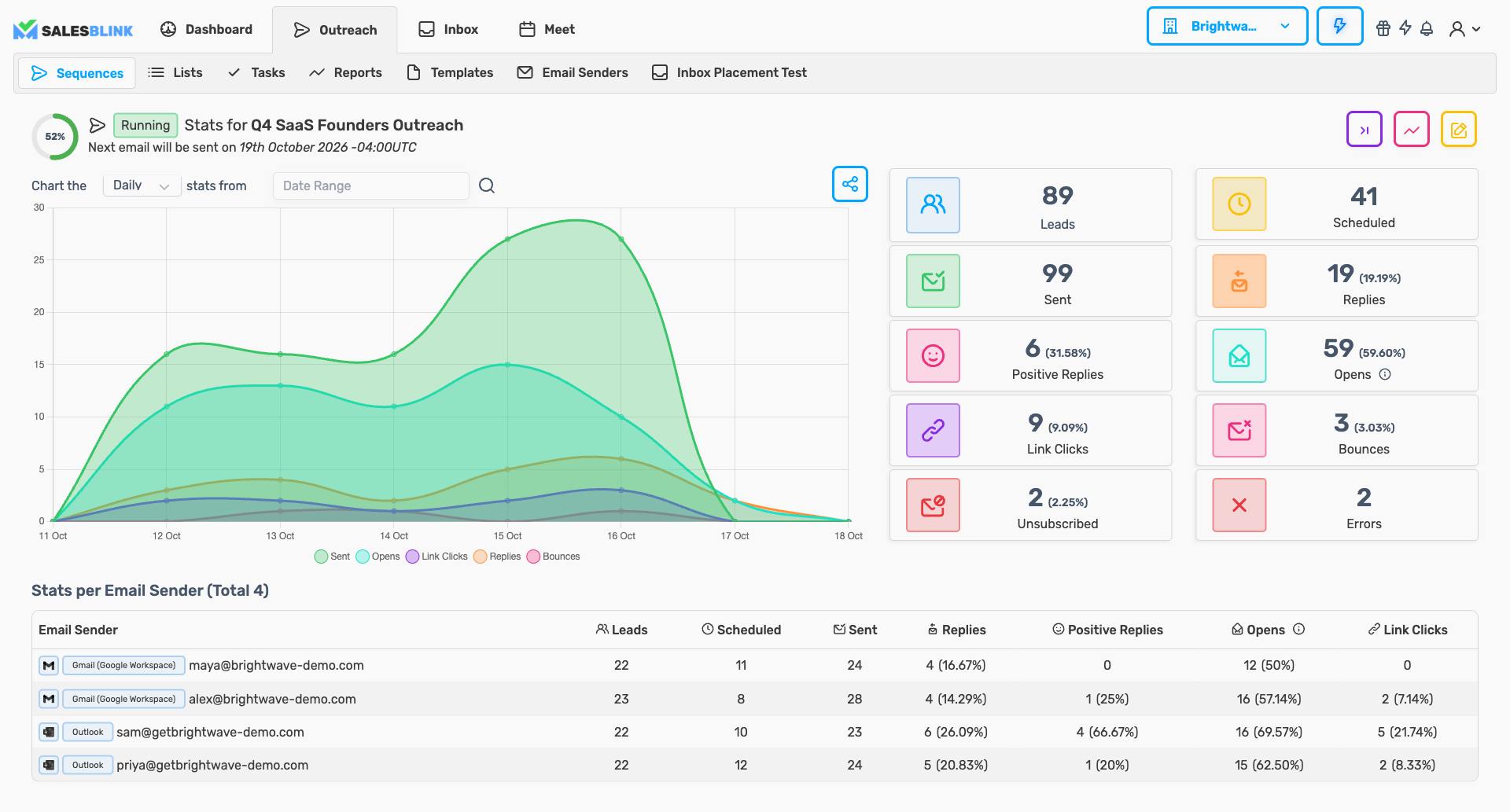
Track key metrics at a glance:
| Metric | Description |
|---|---|
| Leads | Total leads in sequence |
| Scheduled | Emails are queued to send |
| Sent | Emails delivered |
| Replies | Lead responses received |
| Positive Replies | Favorable responses |
| Opens | Emails opened |
| Link Clicks | Clicks on tracked links |
| Bounces | Failed deliveries |
| Unsubscribed | Opt-outs |
| Outbox | Emails waiting for your approval (shown only when the sequence requires you to check emails before sending) |
| Errors | Steps that failed for a lead |
Share Sequence Reports
- Click the Share icon at the top-right of the chart.
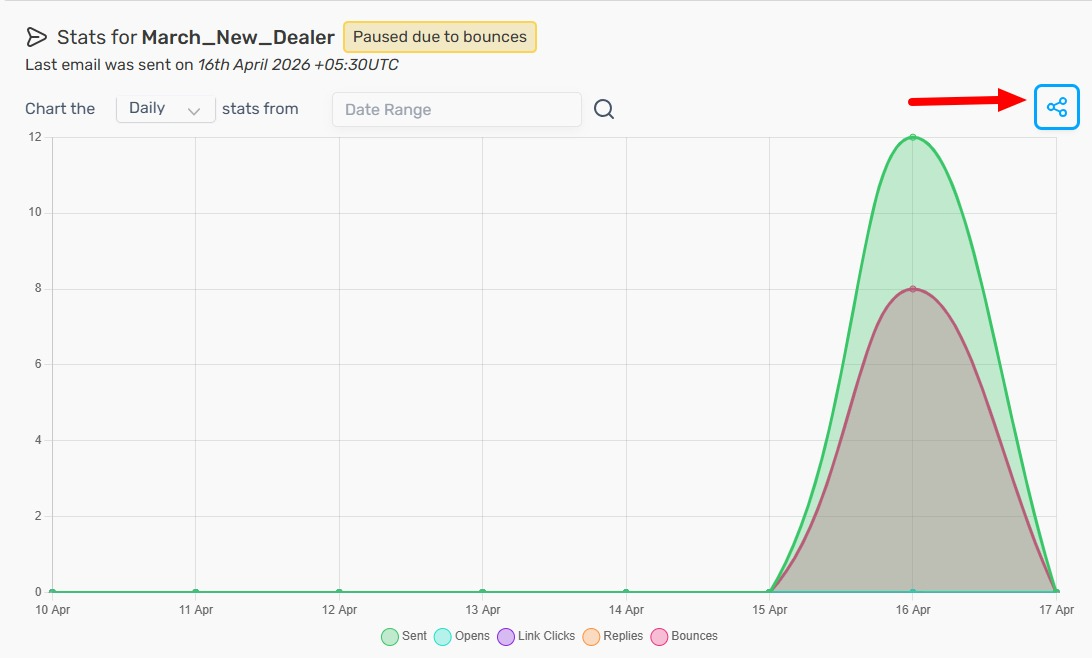
- Customize the report image (optional).
- Share externally via link or download.
Open the Reports page
Go to Outreach → Reports. The page has two tabs:
- Sequence Logs (opens by default)
- Email Sending Schedule
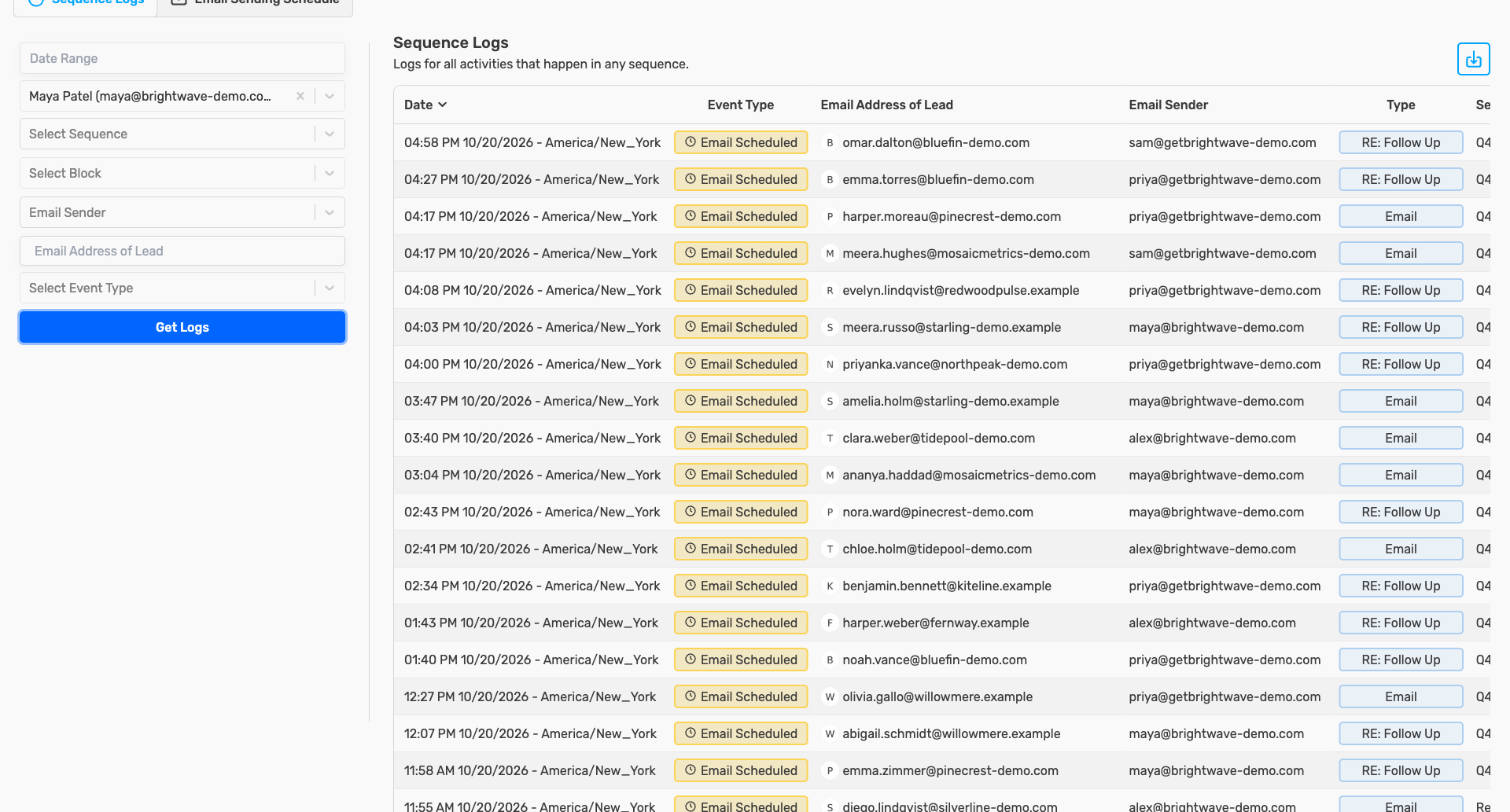
Tip: On the Sequence Stats page, click the View Log Report icon to open the logs for that sequence. Clicking a metric card such as Bounces or Errors opens the logs filtered to that event.

View Email Sending Schedule
- Go to Outreach → Reports and click the Email Sending Schedule tab.

- Review day-by-day email volume.
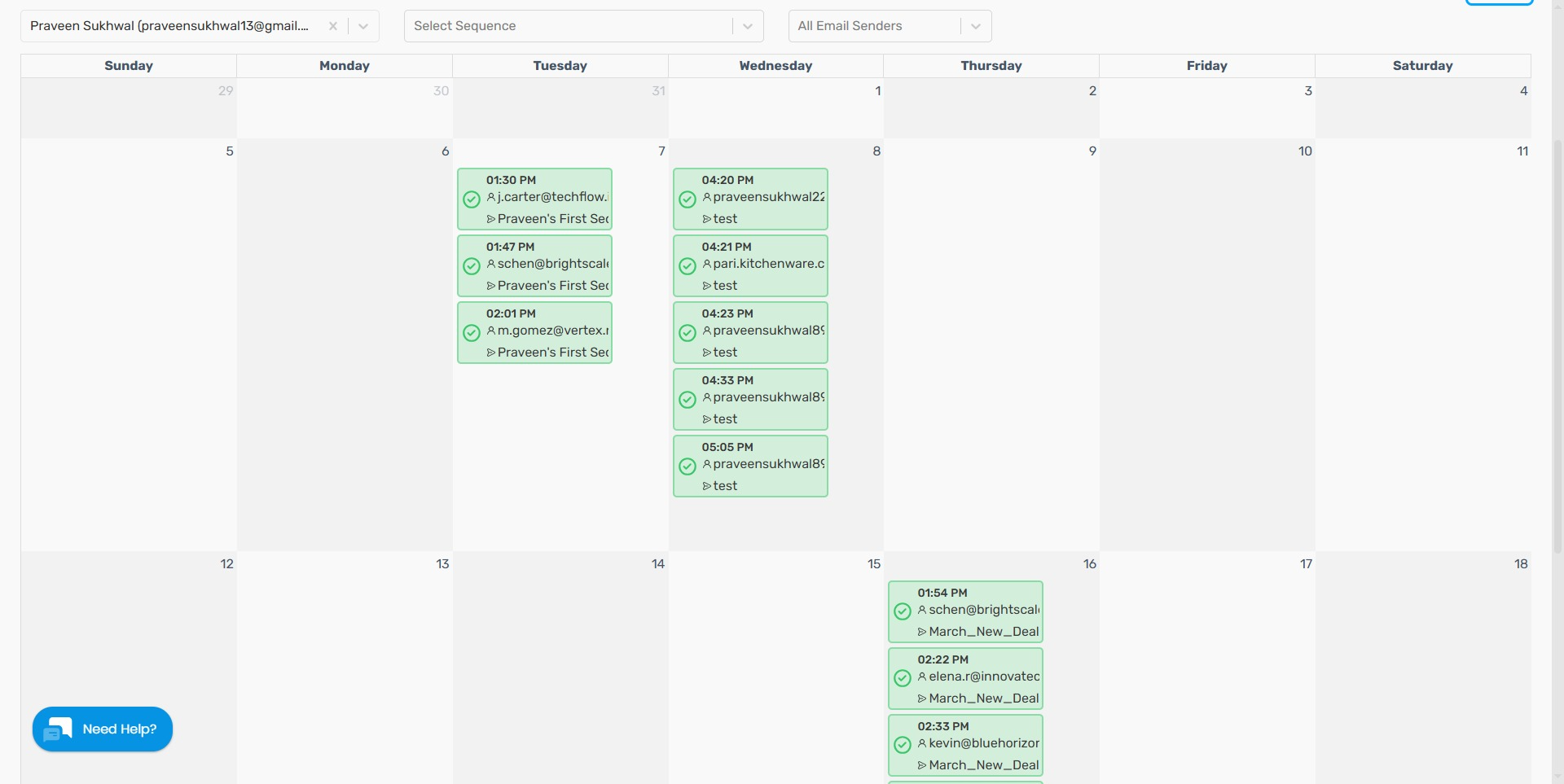
Use this to:
- Balance daily sending volume
- Avoid sender overload
- Plan capacity
View Sequence Logs
- Go to Outreach → Reports. The Sequence Logs tab opens by default.

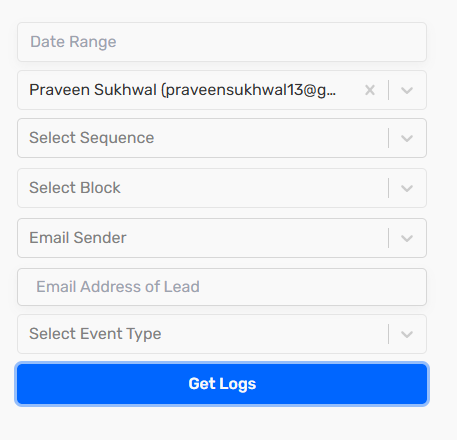
- Filter logs by:
- Date Range
- Owned By
- Select Sequence
- Select Block
- Email Sender
- Email Address of Lead (type the address, then click Get Logs or press Enter)
- Select Event Type
Active filters appear as chips at the top of the filter panel. Remove a chip to clear that filter, or click Clear all to reset them.
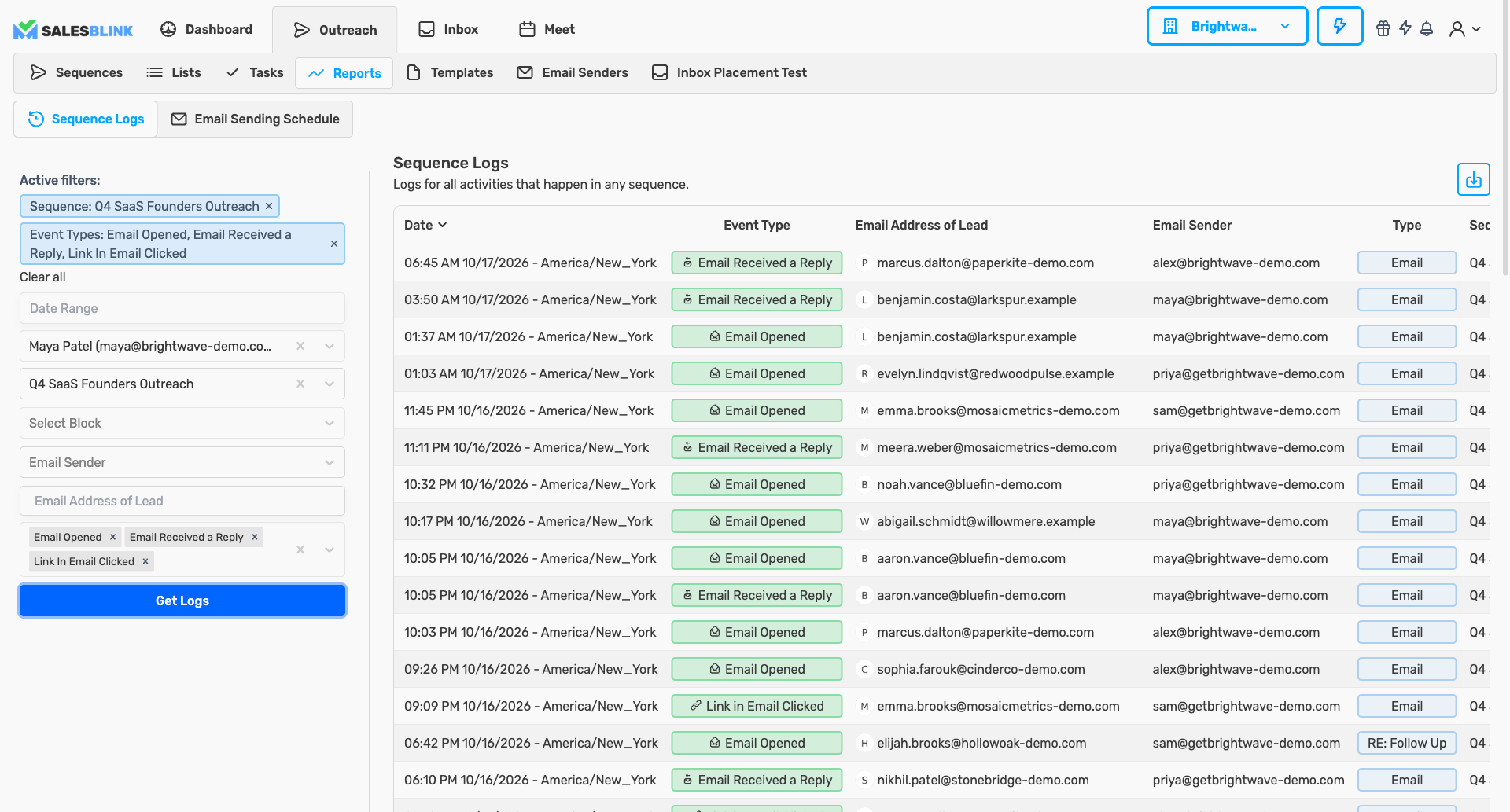
Event types include:
- Email Sent / Scheduled / Rescheduled
- Email Opened
- Link In Email Clicked
- Email Received a Reply
- Email Bounced
- Task Completed / Rescheduled
- Unsubscribed
- Error
Use Reports to Optimize
| Issue | Action |
|---|---|
| High bounce rate | Verify lead lists and domain setup |
| Low open rate | Test subject lines and sender names |
| Low reply rate | Refine email copy and CTAs |
| High unsubscribe rate | Review targeting and messaging |