Overview
Replace default tracking URLs with your branded domain to improve deliverability and trust.
Warning: Tracking email opens and link clicks is not a good practice and should not be done. These tracking mechanisms are red flags to spam filters and email providers. Our internal tests show that enabling open or click tracking can reduce inbox placement by up to 70%, even when using a custom tracking domain.
If you understand the risks and still want to proceed, follow the steps below. For more details on how tracking works and why we advise against it, read How Are Opens, Link Clicks, and Replies Tracked?. We also recommend reviewing our Email Deliverability Best Practices, which include guidance on disabling tracking for better results.
Note: Use a subdomain, such as
track.yourdomain.com. Never use a root domain that hosts a live website. Adding an A record to a root domain with an existing site will break your website.
What a custom tracking domain changes
- Click tracking rewrites every link. With click tracking on, every link in your email is rewritten to go through the tracking domain, including links to external websites.
- It also covers the unsubscribe link. The unsubscribe link uses your custom tracking domain instead of the shared default domain.
- It replaces the shared
s-blk.comdomain. Without a custom domain, tracking and unsubscribe links use the shareds-blk.comdomain. This domain has been listed on Spamhaus DBL, which caused some emails to bounce with550 An URL in this email (s-blk.com) is listed by Spamhaus DBL. A custom tracking domain keeps your links off the shared domain.
Prerequisites
- Access to your domain's DNS settings
- Email sender already connected in SalesBlink
Note: If you use DFY mailboxes, you cannot edit the domain's DNS zone yourself. Contact support and ask them to add the tracking CNAME record for you.
Add Your Tracking Domain
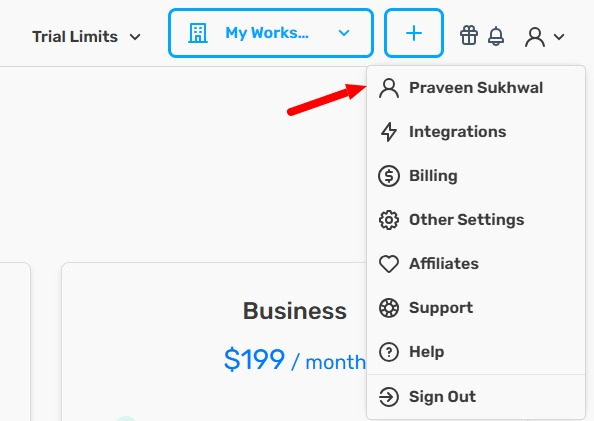
- Click your Profile icon in the top-right corner.

- Click your Name in the dropdown.
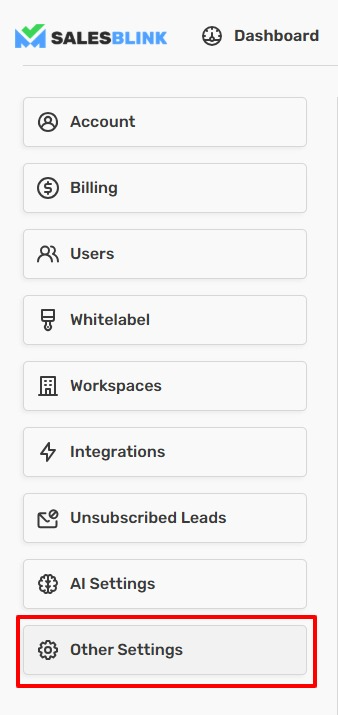
- Click Other Settings in the left sidebar.
- Scroll to Custom Domains.
- Click Add +.

- Select the Domain Type.
- Enter your subdomain (for example,
track.yourdomain.com). - Click Create.

Configure DNS Records
Add the required DNS record at your domain provider.
For subdomains (CNAME record, recommended)
| Type | Name | Value |
|---|---|---|
| CNAME | track or track.yourdomain.com | cname.salesblink.io |
For root domains without a website (A record)
Use this only if the root domain does not host a website. If it does, use a subdomain instead.
| Type | Name | Value |
|---|---|---|
| A Record | @ or yourdomain.com | 178.105.15.117 |
Note: If your DNS provider shows
RRset … IN ALIAS must not be used with A on the same name, your root domain already has an ALIAS record (usually pointing to your website). Do not remove it. Use a subdomain with a CNAME record instead.
Note: DNS changes can take up to 24 hours to propagate.
Why DNS Takes Time to Propagate
When you add or update a DNS record, the change must spread across DNS servers worldwide. This process is called propagation. While most DNS changes are visible within a few minutes, some providers and resolvers cache records for up to 24 hours.
How to Check If Your DNS Record Has Propagated
You can verify your DNS record before SalesBlink confirms it:
- Go to dnschecker.org
- Select the record type (A for root domains, CNAME for subdomains)
- Enter your domain or subdomain
- Click Search
If the record shows correctly on dnschecker but SalesBlink still says "Not Verified" or shows Please check your DNS Records!:
- Wait a few more minutes and click Verify Record again
- Try a hard refresh (Ctrl+Shift+R or Cmd+Shift+R)
- Ensure you saved the sender settings after selecting the custom tracking domain
Tip: Cloudflare users should disable the orange cloud (proxy) for the tracking subdomain record. Proxied CNAME records can cause verification issues.
Verify Your Domain
- Return to Profile → Your Name → Other Settings → Custom Domains.
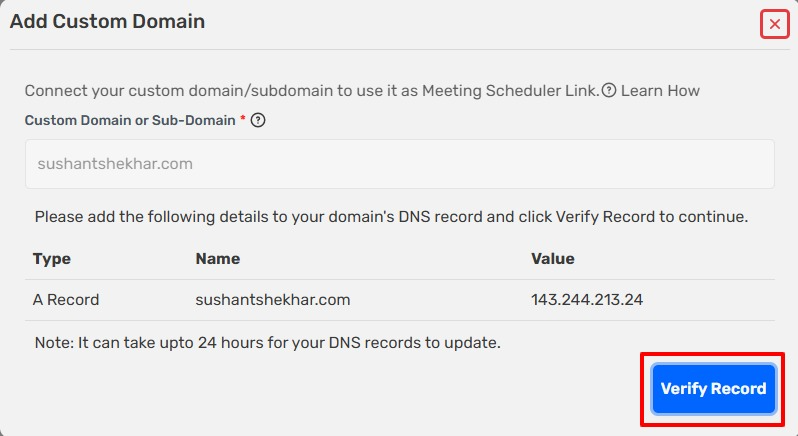
- Click Verify Record next to your domain.
If the record is not found yet, SalesBlink shows Please check your DNS Records!. Check the record on dnschecker.org, wait for propagation, and click Verify Record again.
Connect Domain to Email Sender
This is the final step. A verified domain is not used until you assign it to each sender that should use it. Senders without it keep using the shared default domain, and the Domain Setup Report shows Custom domain for tracking is not set for this email sender.
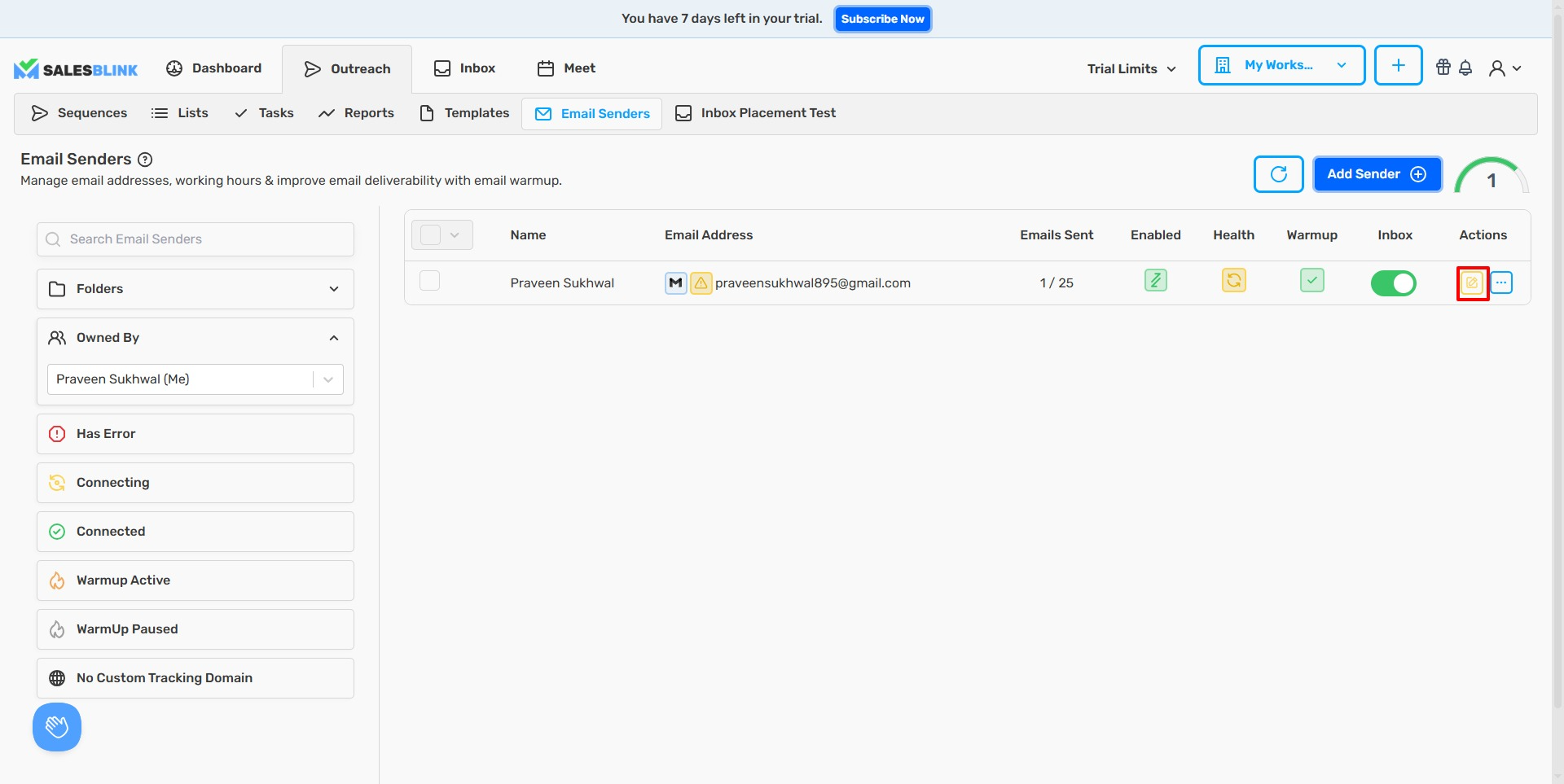
- Navigate to Outreach → Email Senders.

- Click the Edit icon next to your sender.
- Click Next.
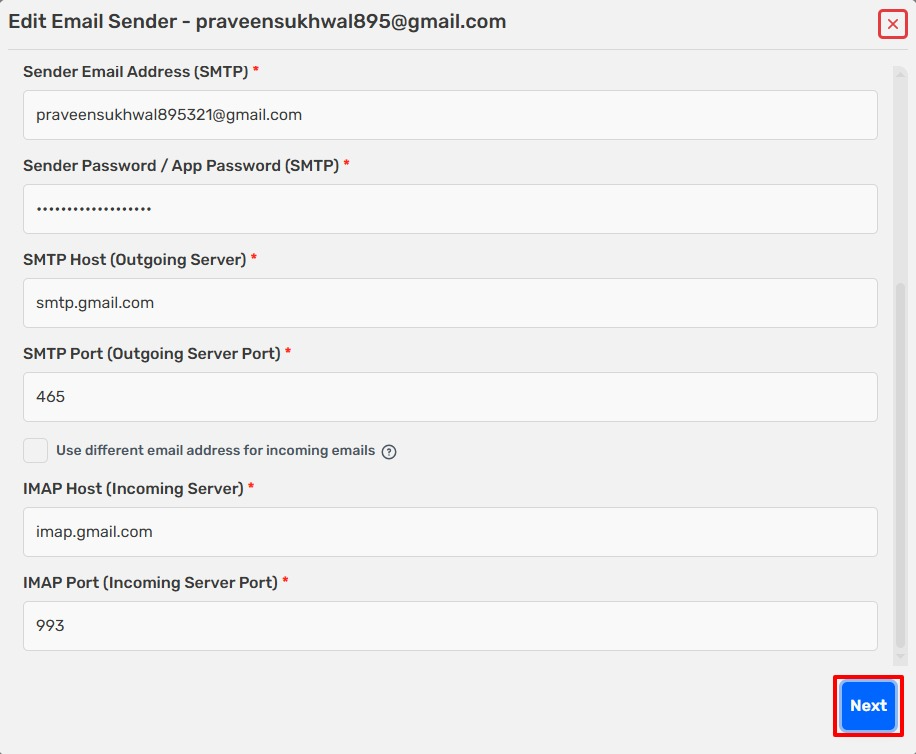
- Click View More Settings.
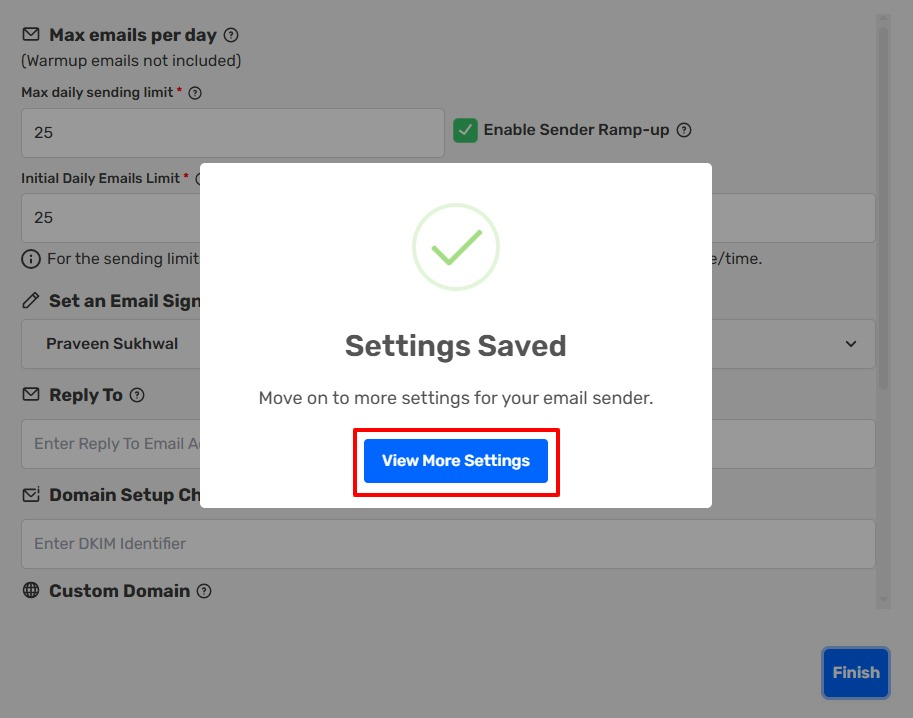
- Check Use Custom Tracking Domain.
- Select your domain from the dropdown.
- Click Save. All emails from this sender now use your branded tracking domain for opens and clicks.
Frequently Asked Questions
In Domain Setup Report, it is asking me to add a custom domain for tracking. Should I do it or not?
Domain Setup Report score is not really affected by custom tracking domain at all, so you should only add it if you plan to send links or track opens, which is discouraged as it impacts email deliverability negatively. The line Custom domain for tracking is not set for this email sender is optional.
My tracking domain says "Not Verified" even though I added the DNS record. What should I do?
- Wait at least 1 hour after adding the DNS record
- Check your record on dnschecker.org to confirm it propagated
- In SalesBlink, go to Profile → Other Settings → Custom Domains and click Verify Record
- If using Cloudflare, make sure the proxy (orange cloud) is disabled for the tracking subdomain
- If using a root domain with a live website, switch to a subdomain instead
- Re-save your sender settings after the domain shows as verified
What CNAME value should I use?
Point your tracking subdomain to cname.salesblink.io.
I see "Please check your DNS Records!" when I click Verify Record. What does it mean?
SalesBlink could not find the correct record yet. Confirm the CNAME points to cname.salesblink.io on dnschecker.org, turn off the Cloudflare proxy if you use Cloudflare, wait for propagation, and click Verify Record again.
My DNS provider says "ALIAS must not be used with A". What should I do?
Your root domain already has an ALIAS record for your website. Do not add an A record there. Use a subdomain such as track.yourdomain.com with a CNAME record pointing to cname.salesblink.io.
Why are links to other websites in my email being changed?
With click tracking on, every link in the email is rewritten to go through the tracking domain, including external links. Turn off click tracking if you want links to stay as written. See Disable Opens, Link Clicks, or Reply Tracking.
My emails bounced with "550 An URL in this email (s-blk.com) is listed by Spamhaus DBL". What happened?
s-blk.com is the shared default domain used for tracking and unsubscribe links. It has been listed on Spamhaus DBL, and some receiving servers reject emails that contain it. Set up a custom tracking domain and assign it to your senders so your links use your own domain.
I see "Domain Already Exists" when I add a tracking domain. What does it mean?
That domain has already been added to your account. You don't need to add it again. To manage or remove it, go to Profile → Other Settings → Custom Domains.
I use DFY mailboxes. How do I add the tracking record?
You cannot edit the DNS zone for DFY domains. Contact support and ask them to add the tracking CNAME record for you.