Overview
Preview, edit, and approve scheduled emails before they are sent to leads.
What is Outbox?
Outbox is the place where you can review emails before they are sent. It contains all emails that are yet to be sent with the exact content that will be sent to the lead.
There might be several reasons to do this:
- Personalize emails further.
- Check if variables have been properly replaced by lead data.
- Send emails right away.
Enable Outbox review
- Navigate to Outreach → Sequences.
- Click your Sequence to edit.

- Scroll to Settings.
- Check Review emails in Outbox before sending.
- Click Review, then Launch Sequence (or Schedule for Launch).
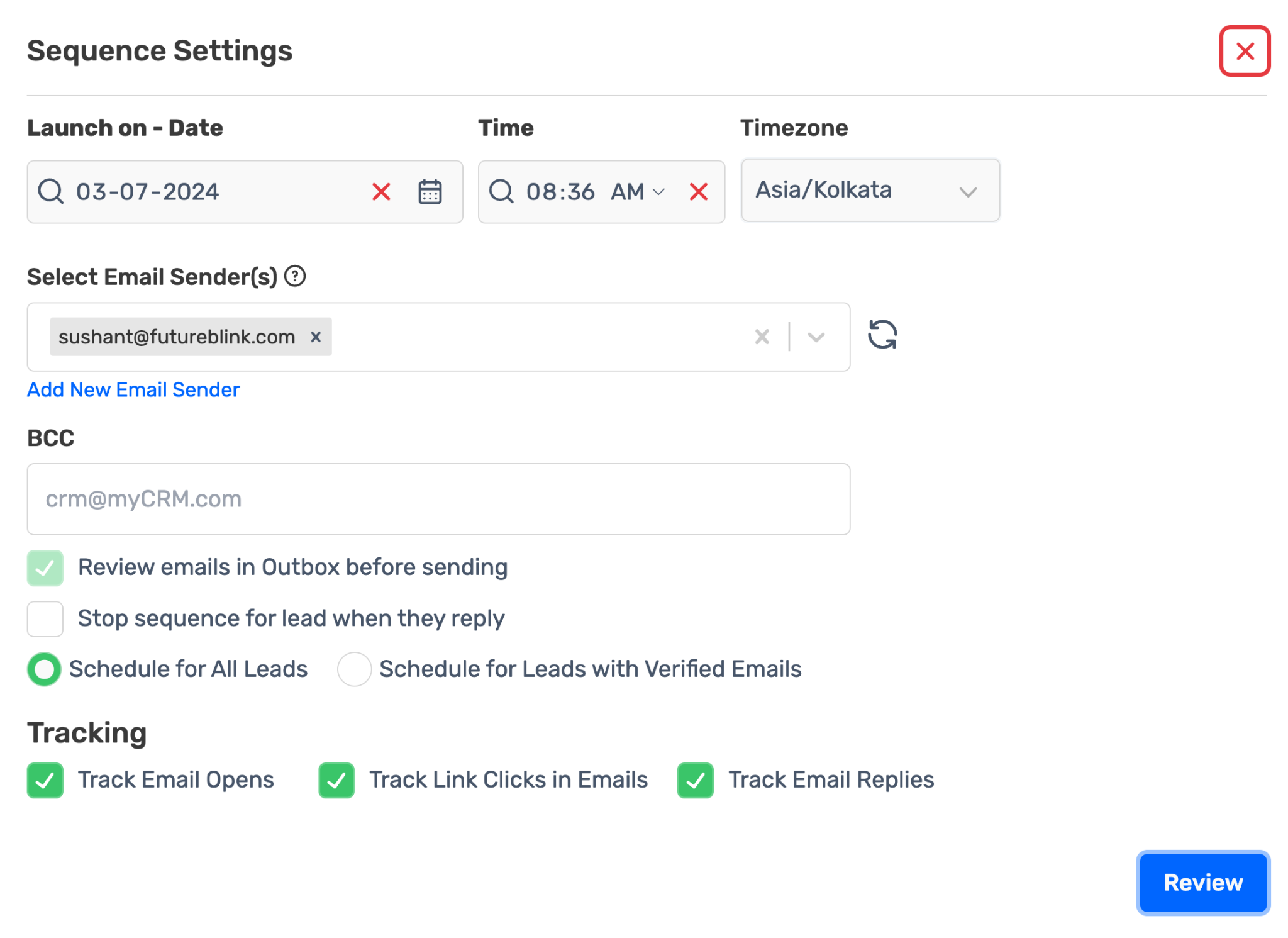
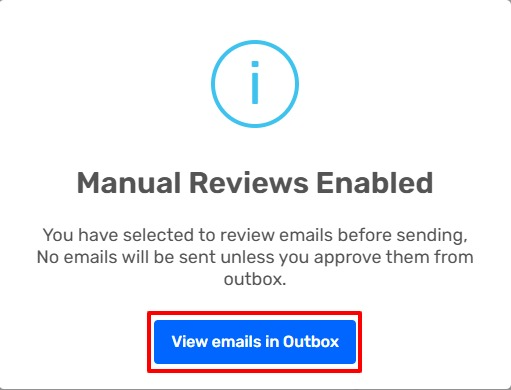
- Click View emails in Outbox in the confirmation popup.
Access Outbox
Click the Outbox icon in the Sequences tab.

Filter emails
Use the left sidebar to find specific emails:
| Filter | Purpose |
|---|---|
| Select Sequence | View emails from one sequence |
| Select Block | View emails from a specific step |
| Search by lead email address |
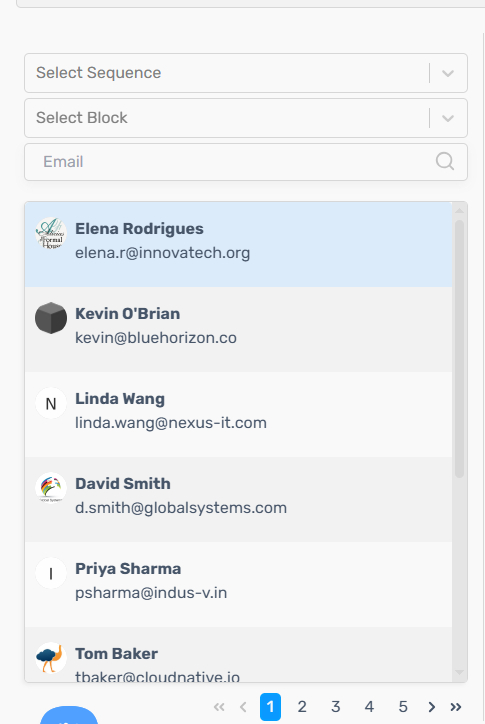
Note: When you open the Outbox from a sequence, that sequence is selected but no block is. You see emails from every step until you pick one in Select Block.
Approve and schedule a single email
- Click a Lead Email in the Left Sidebar.

- Review the email content in the preview pane.
- (Optional) Click the Edit Email icon to modify the email.
- Click Approve and Schedule to queue for sending.

Bulk approve emails
- Select a Sequence from the Left Sidebar filter.
- Click Approve & Schedule All.
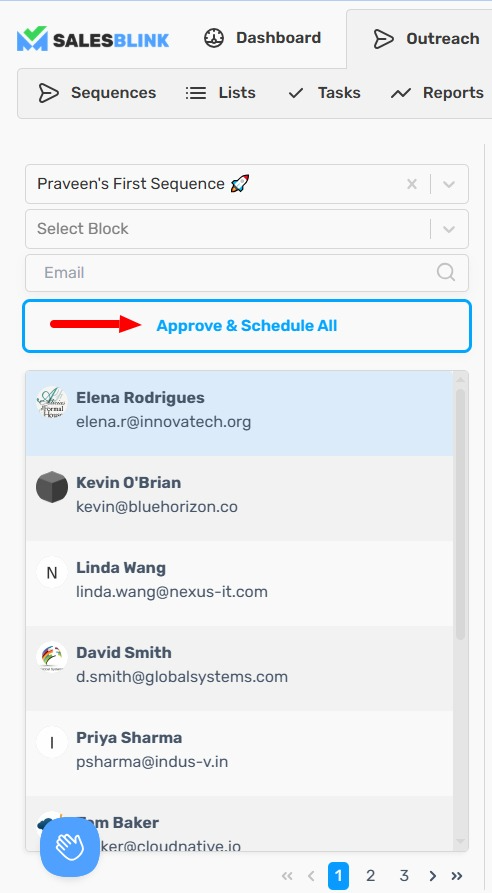
Note: Bulk approval is unavailable for AI Personalized Sequences. Each AI-generated email requires individual review to ensure quality and appropriateness.
How Outbox review works
- Review is all-or-nothing. When Review emails in Outbox before sending is on, every email in the sequence waits for approval. You can't review only the first step and let the rest send automatically.
- Follow-ups are held too. Follow-up emails also go to the Outbox and wait for approval.
- Turning review off requires a re-launch. Untick the setting, then re-launch the sequence.
- Outbox emails can't be cancelled. You can only edit or approve them.
- Archiving a lead removes its pending emails, including any waiting in the Outbox.
Tip: If you only want to personalize the first email, write a per-lead first line or email in a column of your CSV and use it as a variable in the template. Then you don't need Outbox review at all.
AI-personalized emails
For AI-personalized sequences with review on, each AI-written email is drafted when you open it in the Outbox, and must be approved individually. With review off, each email is drafted automatically up to about 2 hours before it is due to send, and you can see it on the lead's activity page.
Inbox
SalesBlink also has an Inbox where you can read and reply to lead responses.
Frequently Asked Questions
Can I review only step 1 and let follow-ups send automatically?
No. Outbox review applies to every email in the sequence, including follow-ups.
I turned off Outbox review but emails still wait for approval. Why?
The change only applies after you re-launch the sequence.
How do I stop an email that is waiting in the Outbox?
Outbox emails can't be cancelled. Edit the email before approving it, or leave it unapproved.
My sequence isn't sending. Could the Outbox be the reason?
Yes. If review is on, nothing sends until you approve it. See Why Isn't My Sequence Sending? for other causes.