Overview
The SalesBlink API allows you to integrate SalesBlink with your favorite tools and automate your workflows. Use the API to create lists, manage leads, launch sequences, and track campaign performance programmatically.
Prerequisites
- API access enabled on your account
Create an API Key
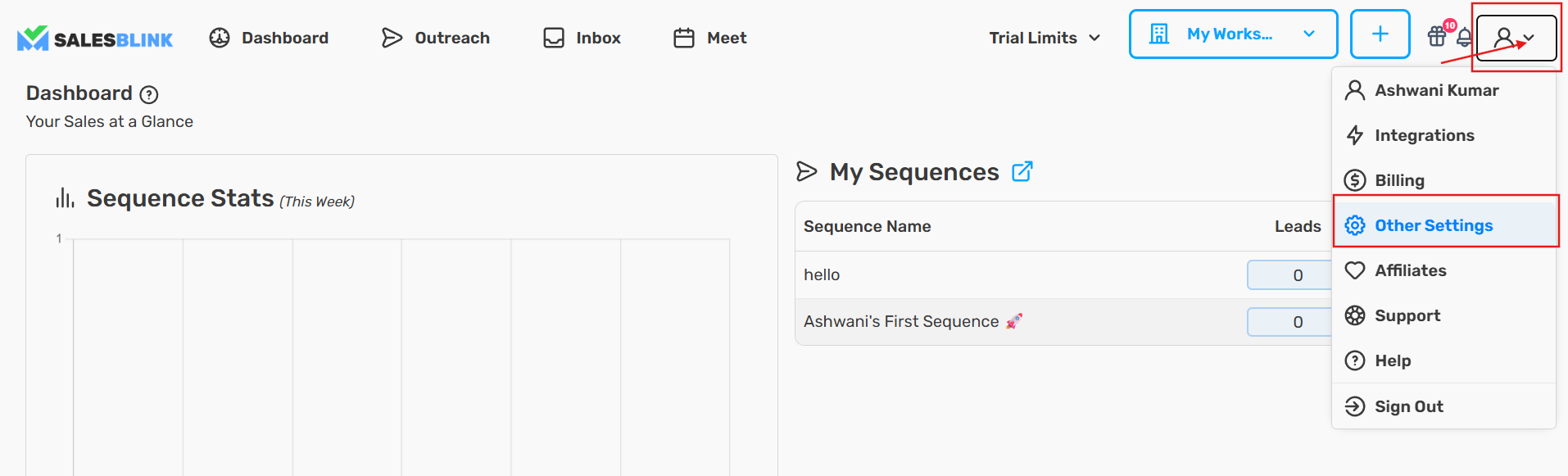
- Click on your Profile icon and select My Profile
- Navigate to Integrations → API
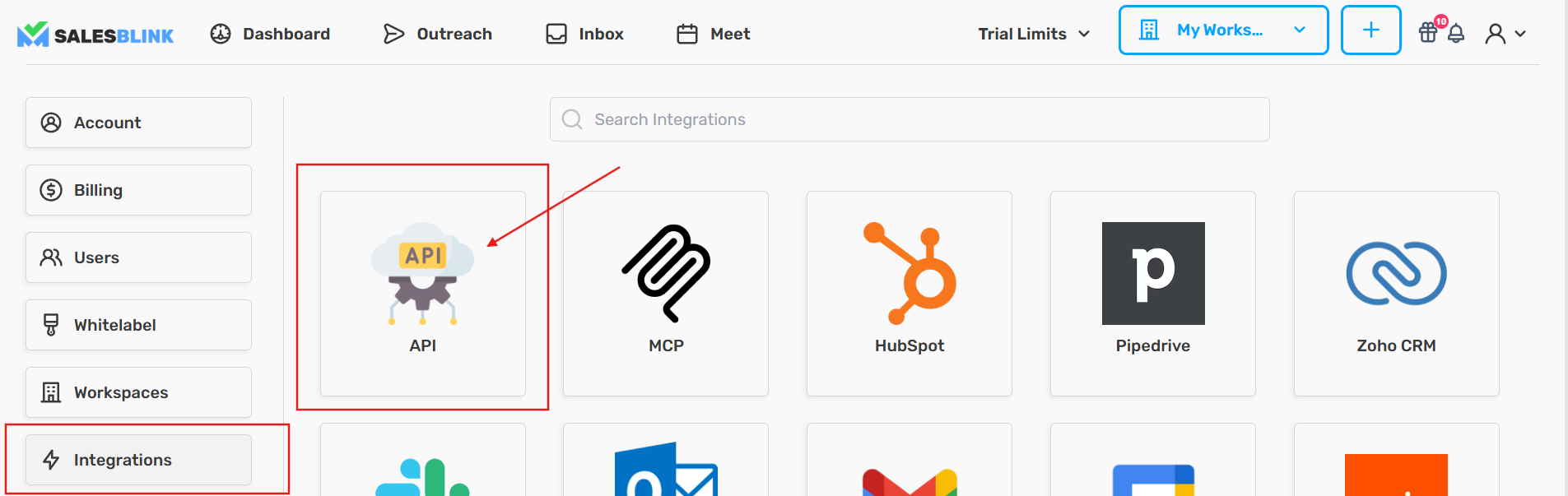
Click Create API Key
Enter a name for your API key (e.g., "Zapier Integration" or "Custom App")
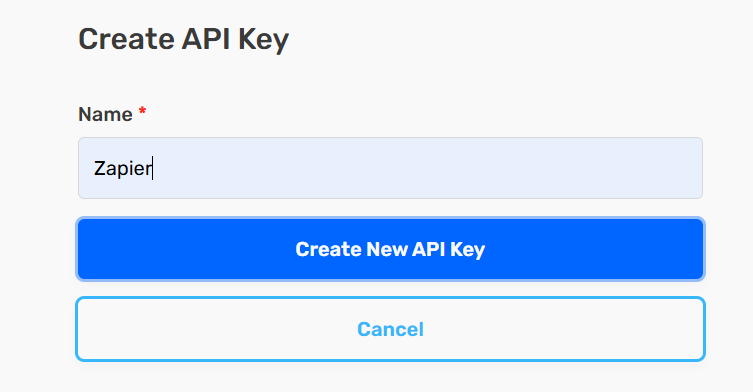
- Click Create New API Key
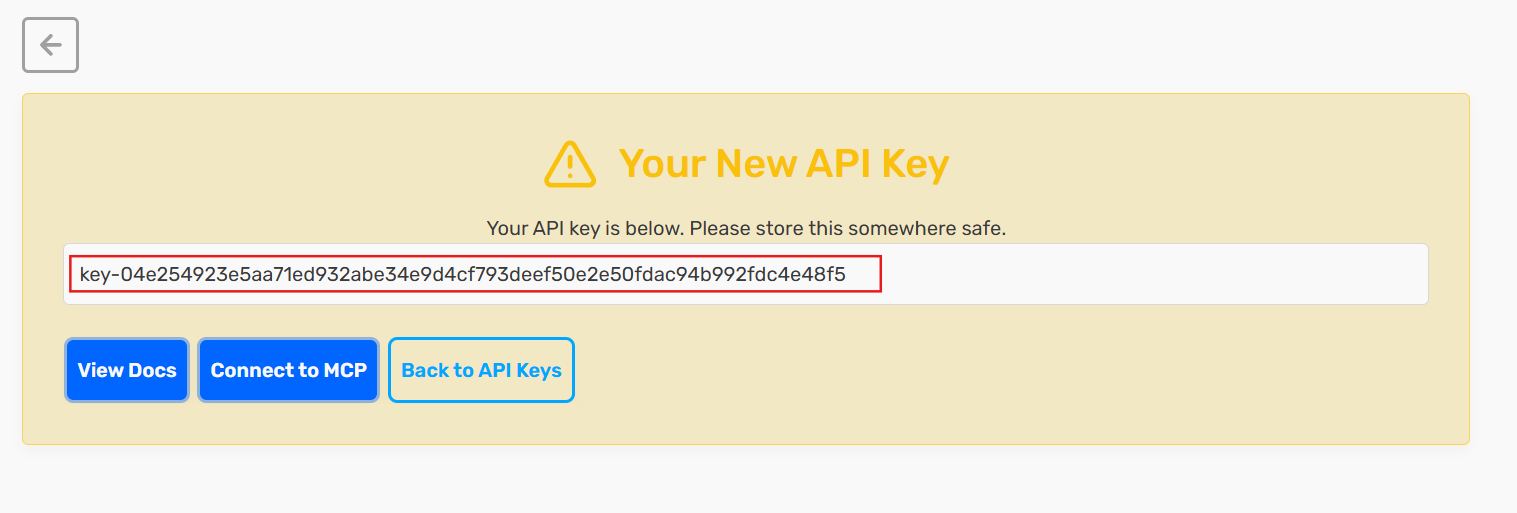
Note: Copy and store this key somewhere safe. You can view it again later with the eye icon in the API keys list.
Save Your API Key
Store your API key in a secure location. You will need it to authenticate API requests.
Authentication
All API endpoints require an API key passed in the Authorization header:
`Authorization: your_salesblink_api_key`
Base URL
Rate Limits
The SalesBlink API implements tiered rate limiting based on request type:
| Tier | Limit | Applies To |
|---|---|---|
| General | 30 requests per minute | GET requests |
| Sensitive | 15 requests per minute | POST and PATCH requests |
| Restricted | 10 requests per minute | PUT and DELETE requests |
Need higher limits? Contact SalesBlink support to discuss your requirements.
What You Can Do with the API
- Create and manage lead lists
- Add, update, delete, and fetch leads
- Create and manage email templates
- Create, launch, and manage sequences
- Manage sequence status
- Export sequence leads
- Retrieve campaign and sequence data
- View campaign analytics and reports
- View lead activity history
- Fetch inbox conversations and replies
- Run inbox placement tests
- Verify email addresses
- Manage email senders
- Check sender health and warmup stats
- Manage blocklist/unsubscribes
API Documentation
For complete API reference and endpoint details, visit the official SalesBlink API documentation:
Frequently Asked Questions
Q: How many API keys can I create?
You can create multiple API keys for different integrations. Each key can be named for easy identification.
Q: Can I revoke an API key?
Yes, you can revoke an API key at any time from the API section in your account settings. Once revoked, the key will no longer work.
Q: Can I see my API key again after creating it?
Yes. Open the API keys list and click the eye icon next to the key to show it.
Q: Is the API secure?
Yes, all API communications are encrypted. Your credentials are never stored by third-party integrations. They are only used to establish the connection.