Overview
Add your SalesBlink booking page to any website by copying and pasting an embed code.
Prerequisites
- Meeting Scheduler configured with working hours and calendar connected
- Access to your website's HTML/CMS editor
Get the Embed Code
- Click Meet in the main navigation.

- Click Embed in the top-right corner.

- Copy the HTML code from the popup.
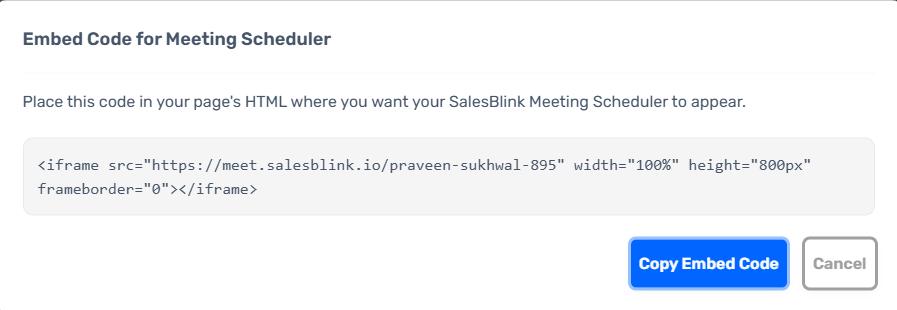
Add to Your Website
Paste the copied code into your website's HTML where you want the scheduler to appear.
Common Platforms
| Platform | Where to Paste |
|---|---|
| WordPress | Custom HTML block or page editor |
| Webflow | Embed element → HTML code |
| Squarespace | Code block |
| Wix | HTML iFrame element |
| HubSpot | Custom HTML module |
| Framer | Embed component |
Verify the Embed
- Publish or preview your page.
- Confirm the booking form loads correctly.
- Test a booking to ensure it syncs to your calendar.