Overview
Update individual or bulk email sender settings including daily limits, warmup, inbox, signature, and custom domain.
Prerequisites
- At least one email sender connected
Update a Single Email Sender
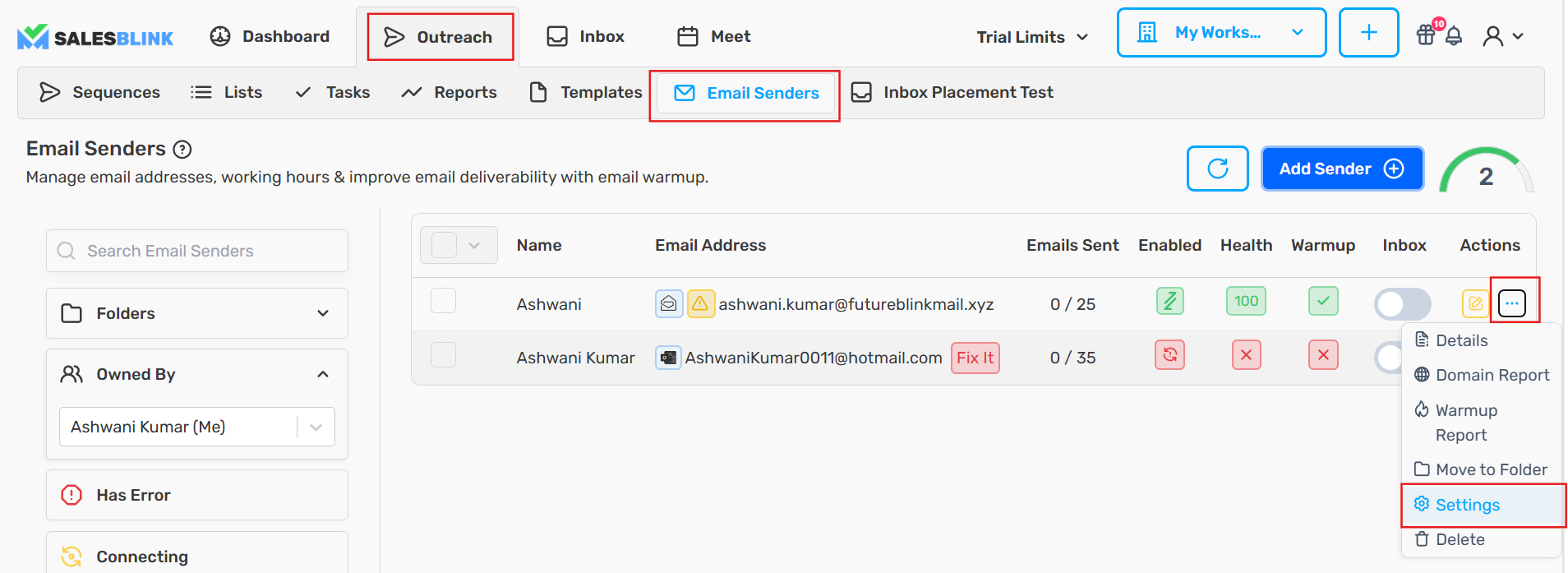
- Click Outreach → Email Senders
- Click the Actions menu (three dots) for the sender
- Select Settings
Available Settings
Max emails per day
Configure the maximum number of emails that should be sent from the email sender in a day.
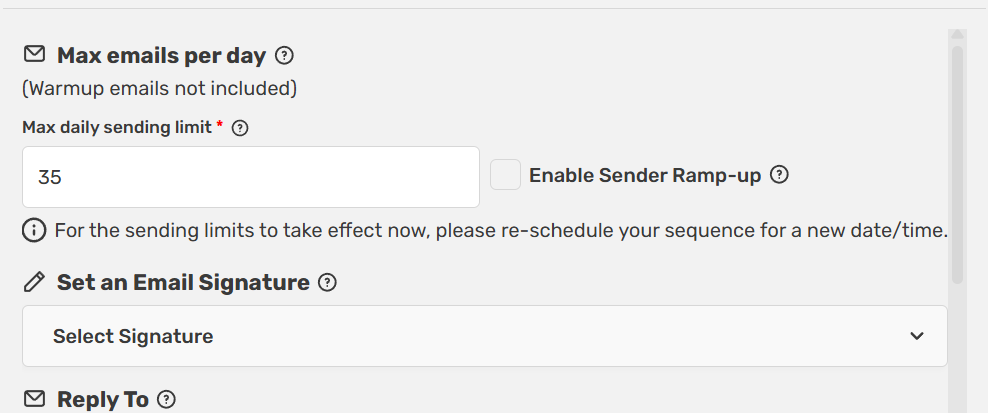
Max emails per day counts only the emails your sequences send from this sender. It does not include WarmUp emails, and it does not start or control WarmUp.
Your email provider's daily quota works differently. It counts every email the mailbox sends, including WarmUp emails and sequence emails. Keep the combined total at a safe level, around 40 to 50 emails per day per sender, so the provider doesn't throttle or disconnect the mailbox.
Example: If WarmUp sends about 20 emails a day from a sender, set Max emails per day to around 20 to 30 so the mailbox stays within 40 to 50 emails in total.
For recommended limits by sender age, see How Many Emails Should I Send Per Day.
Email WarmUp
Enable this setting to start warming up your email sender for improved email deliverability.
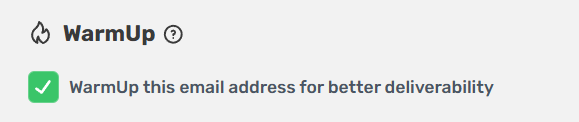
Note: Enabling WarmUp is separate from Max emails per day. Setting a high daily limit doesn't start WarmUp, and WarmUp has its own daily volume. See Email WarmUp.
Sender Health Score
Tick Pause cold emails when health falls below and enter a threshold to protect a sender automatically. The setting is off by default, the default threshold is 80, and it only applies while WarmUp is on for the sender.
When the sender's health score is below the threshold:
- SalesBlink stops scheduling and sending cold emails from this sender. If a sequence has other healthy senders, they keep sending.
- WarmUp keeps running so the sender can recover.
- Once health climbs back above the threshold, new emails are scheduled from this sender again. Emails that came due while it was paused are marked as errors and are not retried, so reschedule the sequence to send them. See How to fix Error leads in a sequence?.
Note: This setting is one of the most common reasons a sequence has no emails scheduled. If every sender in a sequence is below the threshold, the sequence sends nothing until health recovers. See Why Isn't My Sequence Sending.
This setting only works while WarmUp is enabled, because health is not calculated without WarmUp. It is not available for SMTP-only senders (the tooltip reads "Not available for SMTP Only emails."). For how the score works, see How Sender Health Is Calculated.
Inbox
Enable this setting to view the replies to your cold outreach emails in Unified Inbox.

Email Signature
Update the unique signature of the email.

Custom Domain
Add a custom domain to track email opens and clicks.

Bulk Update Email Senders
Click Outreach → Email Senders
Select the email senders you want to update
Click the down arrow on the multi-select checkbox
Click Sender Settings
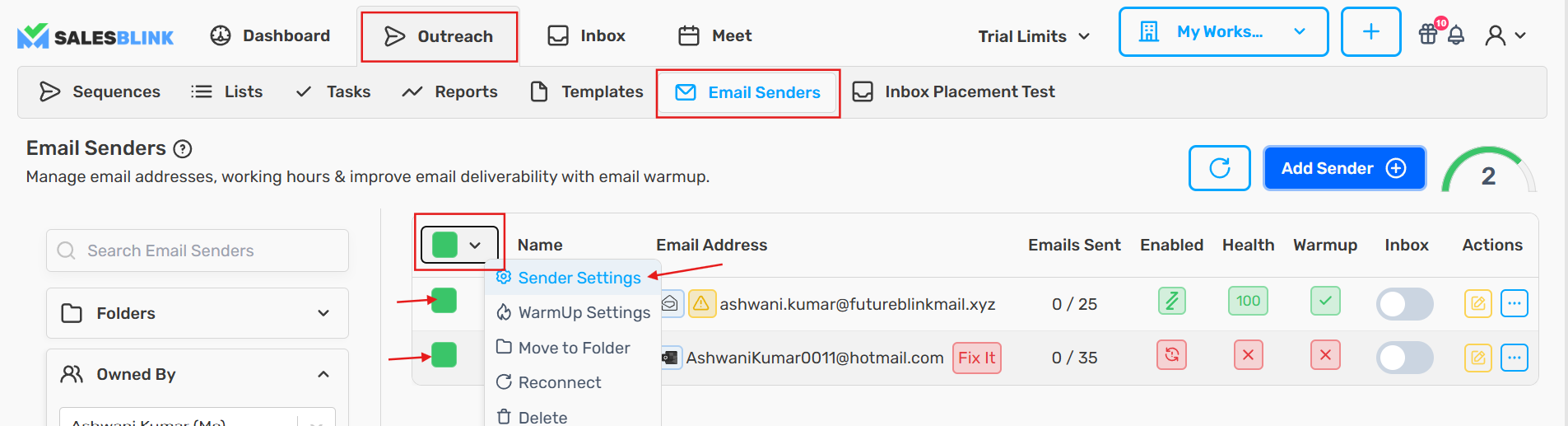
This allows you to update all settings of selected email senders in bulk.
Frequently Asked Questions
How can I edit my email sender's display name?
Follow the guide for updating email sender settings. See also How to Edit the Email Sender's Name.
Does WarmUp count toward Max emails per day?
No. Max emails per day only limits sequence emails. Your email provider still counts WarmUp and sequence emails together, so keep the combined total around 40 to 50 per day.
Why is my sender not sending even though Max emails per day is set?
Check whether the sender's health is below the Pause cold emails when health falls below threshold. If it is, SalesBlink skips this sender until health recovers. You can lower the threshold or untick the setting, but sending from a low-health sender can hurt deliverability.